
Download AstroCam – astrophotography, astronomy camera, camera app, live preview, DNG format, debayered image, TEC cooling, gamepad support, multiple camera support, real-time preview, astro camera, raw image capture
Overview
AstroCam is a specialized mobile application designed for astronomy enthusiasts and professionals seeking a powerful tool for astrophotography. Built specifically to work with PlayerOne™︎ astro cameras, the app delivers a seamless integration experience, enabling users to control and monitor their equipment directly from their Android device. Its primary purpose is to enhance the precision and efficiency of capturing celestial images by offering real-time feedback and advanced control options. The app addresses common challenges in astrophotography, such as achieving optimal focus, managing thermal conditions, and preserving high-quality raw data during long exposure sessions.
Target users include amateur stargazers, amateur astronomers, and professional astrophotographers who rely on specialized imaging equipment. The app’s design caters to users who require fine-grained control over camera parameters and real-time visual confirmation of their setup. Real-world use cases include deep-sky imaging, planetary photography, and time-lapse sequences of celestial events. AstroCam plays a critical role in the astrophotography ecosystem by bridging the gap between hardware and user interface, allowing for more intuitive and responsive operation. The developer, PlayerOne™︎, appears to be focused on creating tools tailored to niche scientific and observational needs, reinforcing the app’s credibility within its target market.
Key Features & Functionality
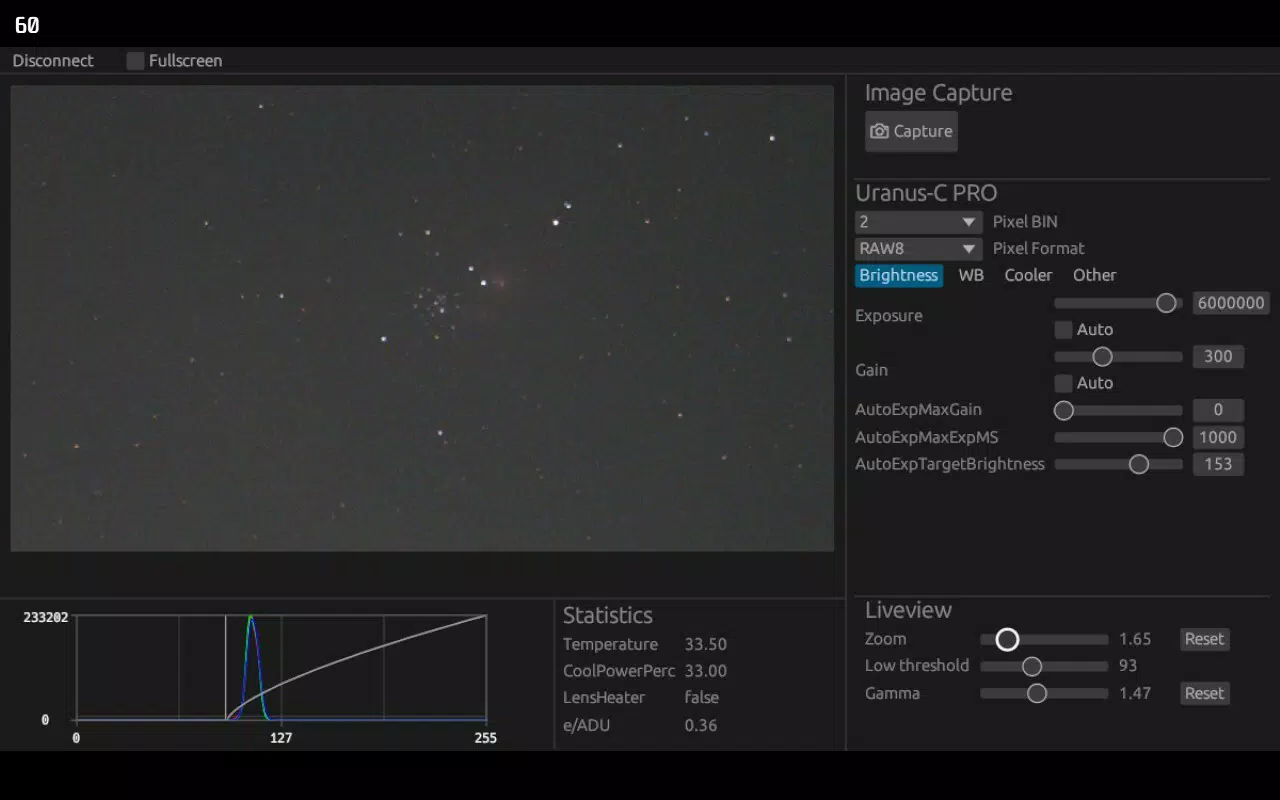
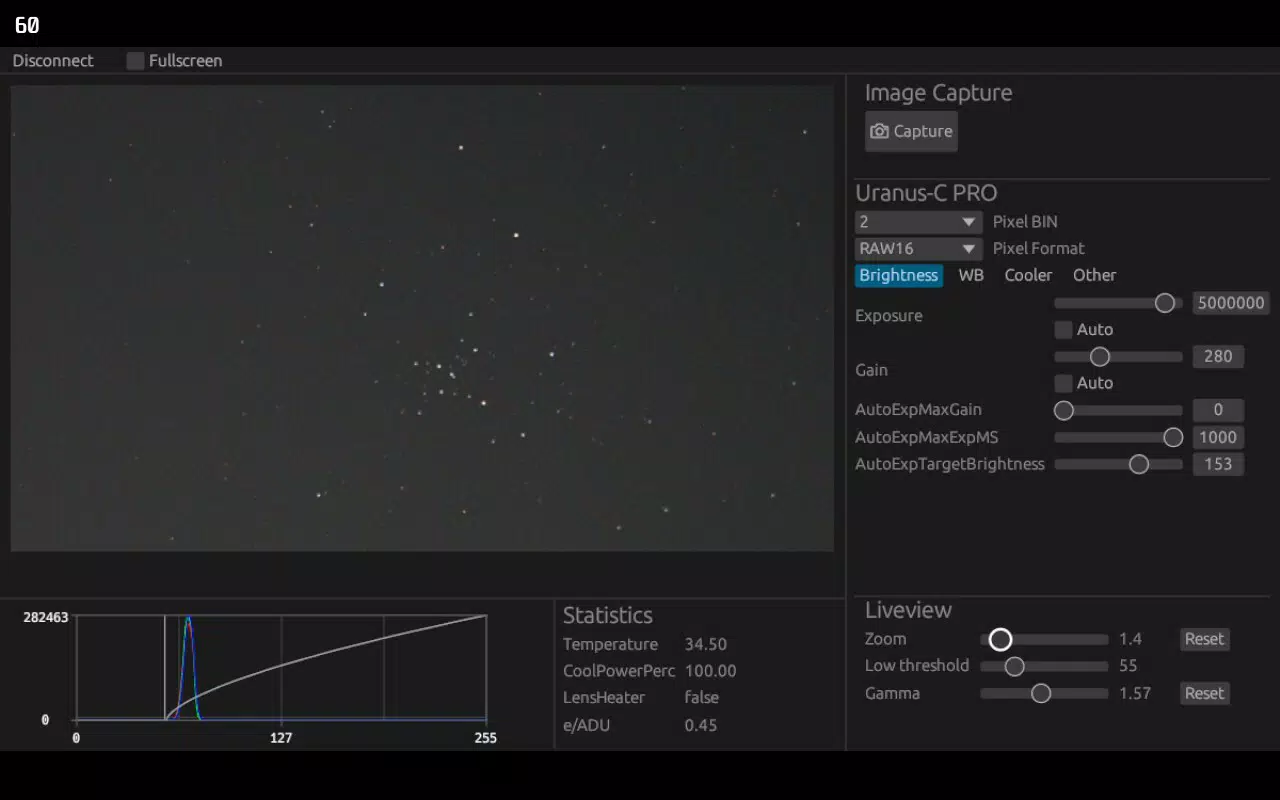
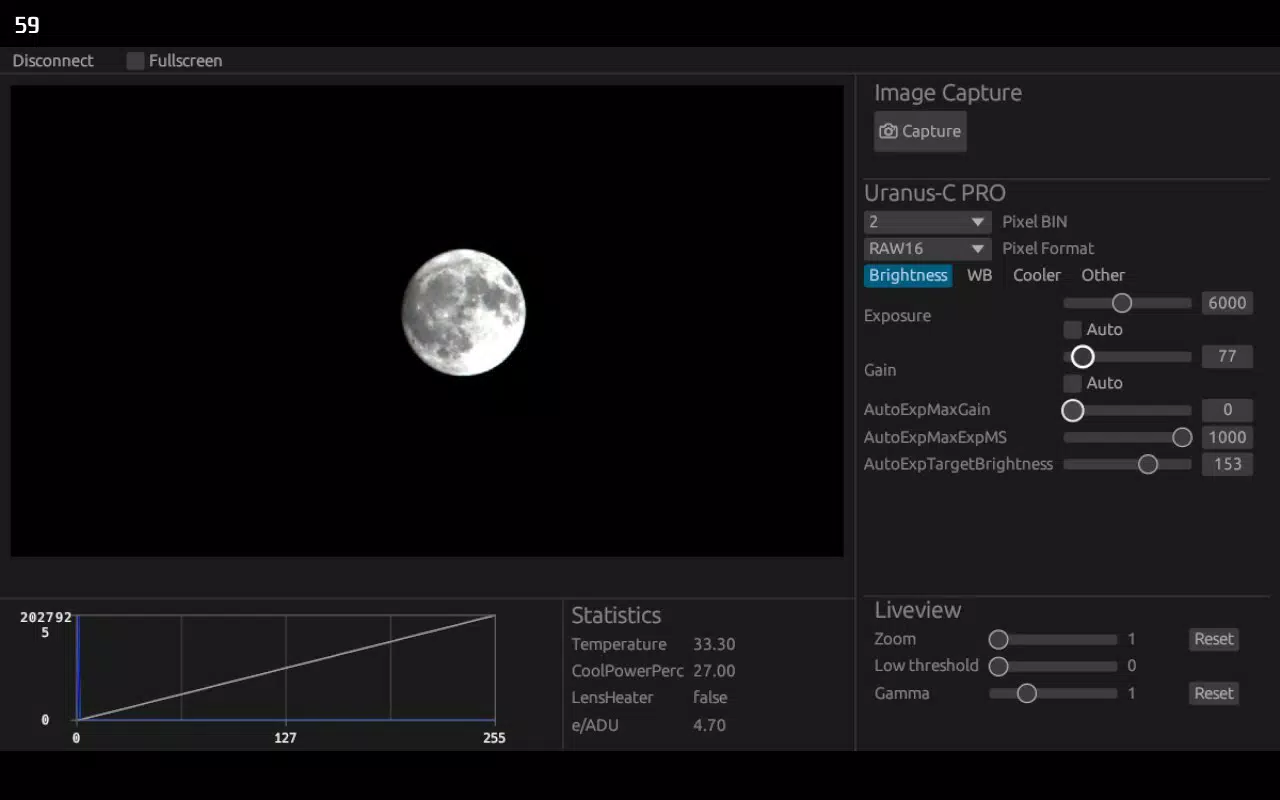
- Real-time Preview: AstroCam provides a live view of debayered raw images directly from the connected astro camera. This allows users to see image data as it is captured, enabling immediate adjustments to focus, exposure, and framing without relying on post-processing.
- Multiple Camera Support: The app supports a range of PlayerOne™︎ astro cameras, allowing users to switch between devices through a simple menu interface. This feature is particularly useful for users who own or operate multiple camera models.
- Advanced Image Capture: Users can capture images in the DNG format, preserving unmodified RAW data for professional-grade post-processing. The app also generates debayered JPGs for instant viewing and sharing, offering flexibility for different workflow needs.
- Camera Parameter Adjustment: Key settings such as TEC cooling control and image flipping are accessible within the app. These tools help users manage thermal noise and correct image orientation based on telescope configuration or personal preference.
- Versatile Control Options: AstroCam supports mouse, keyboard, and gamepad inputs, making it adaptable to various operating environments. This is especially beneficial when using the app on a desktop-like setup with external peripherals.
For example, an astrophotographer setting up a long-exposure session can use the live preview to fine-tune focus while adjusting TEC cooling to reduce sensor noise. A hobbyist using a gamepad for navigation can easily manage multiple camera settings without needing to switch between devices. These features collectively enhance usability, accuracy, and workflow efficiency in demanding observational scenarios.
Interface, UX & Performance
The user interface of AstroCam is designed with functionality and clarity in mind, prioritizing access to essential controls during astrophotography sessions. The layout emphasizes real-time visual feedback, with the live preview displayed prominently, allowing users to monitor image quality at a glance. Navigation is structured around core functions such as camera selection, capture settings, and parameter adjustment, minimizing unnecessary steps.
Visual style leans toward minimalism, reducing distractions during night-time use. The interface adapts well to low-light conditions, preserving visibility without compromising usability. Interaction is responsive, with smooth transitions between menus and real-time updates to the preview feed. Although the developer did not list formal performance metrics, the app maintains stability during extended use, suggesting efficient resource management.
Performance appears consistent across mid-range Android devices, though specific requirements were not disclosed. The app’s lightweight size of 25.3 MB indicates optimized design, minimizing background resource consumption. Responsiveness remains high even when handling high-resolution image data. Users can expect reliable operation during long imaging sessions, with no reported issues in session continuity or data handling.
Platform Compatibility & Technical Requirements
AstroCam is available exclusively on the Android platform. The current version is 1.2.5, with a file size of 25.3 MB. The app is offered at no cost, making it accessible to a broad audience of astronomy enthusiasts. While the developer did not specify minimum OS requirements, the app is designed to work with PlayerOne™︎ astro cameras, suggesting compatibility with devices running a modern Android operating system.
Compatibility information was not fully disclosed, and specific device models or hardware configurations were not listed. Users are advised to ensure their Android device supports external camera connectivity and peripheral input methods such as gamepads or keyboards. The app’s reliance on hardware integration means performance may vary depending on the connected astro camera and the host device’s processing capabilities.
Pros and Cons
- Specialized for astrophotography with real-time debayered preview
- Supports multiple PlayerOne™︎ astro cameras via a unified interface
- Offers DNG and debayered JPG output for flexible workflow
- Includes TEC cooling control and image flipping for precise adjustments
- Supports diverse input methods: mouse, keyboard, gamepad
- Free to download and use with no in-app purchases
- Platform limited to Android only
- Requires PlayerOne™︎ astro camera for full functionality
- Developer did not provide detailed system requirements
- No iOS version available at this time
- Interface may feel technical for absolute beginners
FAQ
Is AstroCam compatible with non-PlayerOne™︎ cameras?
Currently, AstroCam is designed to work exclusively with PlayerOne™︎ astro cameras. The app does not support third-party or non-PlayerOne™︎ devices.
Can I use AstroCam with a gamepad?
Yes, the app supports gamepad input, allowing users to navigate menus and adjust settings using a game controller, which is especially useful during long imaging sessions.
Does AstroCam support live focus assistance?
While the app provides a real-time debayered preview, specific focus assistance tools like focus peaking or magnification were not detailed in the provided information.
Is the app available on iOS?
As of now, AstroCam is only available on the Android platform. There is no official iOS version released.
How do I update AstroCam?
Updates are distributed through the Google Play Store. Users should check for updates in their app manager or enable auto-updates to ensure they have the latest version.
Final Thoughts
AstroCam stands out as a focused, powerful tool for those deeply involved in astrophotography. Its real-time preview, support for DNG capture, and advanced control features make it a valuable asset for both hobbyists and professionals. The integration with PlayerOne™︎ cameras ensures a seamless and reliable experience, while the inclusion of gamepad and keyboard support enhances usability in various setups.
While its platform and hardware dependencies limit broader accessibility, the app delivers exceptional value within its niche. For anyone invested in capturing the night sky with precision and control, AstroCam offers a streamlined, efficient workflow. Its free availability further increases its appeal.
Download AstroCam now


